%20--%3e%3csvg%20version='1.1'%20xmlns='http://www.w3.org/2000/svg'%20xmlns:xlink='http://www.w3.org/1999/xlink'%20x='0px'%20y='0px'%20viewBox='0%200%20512%20512'%20style='enable-background:new%200%200%20512%20512;'%20xml:space='preserve'%3e%3cstyle%20type='text/css'%3e%20.st0{fill:none;}%20.st1{fill:url(%23SVGID_1_);}%20.st2{fill:url(%23SVGID_2_);}%20.st3{fill:url(%23SVGID_3_);}%20.st4{fill:url(%23SVGID_4_);}%20.st5{fill:url(%23SVGID_5_);}%20%3c/style%3e%3cg%20id='Background'%3e%3crect%20class='st0'%20width='512'%20height='512'/%3e%3c/g%3e%3cg%20id='_x2F_'%3e%3clinearGradient%20id='SVGID_1_'%20gradientUnits='userSpaceOnUse'%20x1='256'%20y1='353.0107'%20x2='256'%20y2='157.9267'%3e%3cstop%20offset='0'%20style='stop-color:%23647DEE'/%3e%3cstop%20offset='1'%20style='stop-color:%237F53AC'/%3e%3c/linearGradient%3e%3cpath%20class='st1'%20d='M306.77,157h-41.3c-0.88,0-1.65,0.57-1.91,1.41L203.31,351.4c-0.4,1.29,0.56,2.6,1.91,2.6h41.3%20c0.88,0,1.65-0.57,1.91-1.41l60.25-192.99C309.09,158.31,308.13,157,306.77,157z'/%3e%3c/g%3e%3cg%20id='_x3E_'%3e%3cg%3e%3cg%3e%3clinearGradient%20id='SVGID_2_'%20gradientUnits='userSpaceOnUse'%20x1='320.0015'%20y1='198.5681'%20x2='428.9113'%20y2='258.9379'%20gradientTransform='matrix(-1%200%200%20-1%20512%20512)'%3e%3cstop%20offset='0.0124'%20style='stop-color:%23EE9617'/%3e%3cstop%20offset='0.8697'%20style='stop-color:%23FE5858'/%3e%3c/linearGradient%3e%3cpath%20class='st2'%20d='M194,333.64v-41.45c0-0.73-0.4-1.41-1.04-1.76L87.51,233l-4.46,2.43c-0.64,0.35-1.04,1.03-1.04,1.76v37.62%20c0,0.73,0.4,1.41,1.04,1.76l108,58.82C192.38,336.12,194,335.15,194,333.64z'/%3e%3clinearGradient%20id='SVGID_3_'%20gradientUnits='userSpaceOnUse'%20x1='320.5631'%20y1='313.1205'%20x2='428.4286'%20y2='253.3297'%20gradientTransform='matrix(-1%200%200%20-1%20512%20512)'%3e%3cstop%20offset='0'%20style='stop-color:%23FE5858'/%3e%3cstop%20offset='0.9876'%20style='stop-color:%23EE9617'/%3e%3c/linearGradient%3e%3cpath%20class='st3'%20d='M194,219.81v-41.44c0-1.52-1.63-2.49-2.96-1.76L83.05,235.43c-0.64,0.35-1.05,1.03-1.05,1.76v37.62%20c0,0.73,0.4,1.41,1.05,1.76l4.17,2.27c0.19,0.1,0.41,0.1,0.59,0l105.15-57.27C193.6,221.22,194,220.54,194,219.81z'/%3e%3c/g%3e%3c/g%3e%3cg%3e%3cg%3e%3clinearGradient%20id='SVGID_4_'%20gradientUnits='userSpaceOnUse'%20x1='320.0015'%20y1='198.5681'%20x2='428.9113'%20y2='258.9379'%3e%3cstop%20offset='0.0124'%20style='stop-color:%23EE9617'/%3e%3cstop%20offset='0.8697'%20style='stop-color:%23FE5858'/%3e%3c/linearGradient%3e%3cpath%20class='st4'%20d='M318,178.36v41.45c0,0.73,0.4,1.41,1.04,1.76L424.49,279l4.46-2.43c0.64-0.35,1.04-1.03,1.04-1.76v-37.62%20c0-0.73-0.4-1.41-1.04-1.76l-108-58.82C319.62,175.88,318,176.85,318,178.36z'/%3e%3clinearGradient%20id='SVGID_5_'%20gradientUnits='userSpaceOnUse'%20x1='320.5631'%20y1='313.1205'%20x2='428.4286'%20y2='253.3297'%3e%3cstop%20offset='0'%20style='stop-color:%23FE5858'/%3e%3cstop%20offset='0.9876'%20style='stop-color:%23EE9617'/%3e%3c/linearGradient%3e%3cpath%20class='st5'%20d='M318,292.19v41.44c0,1.52,1.63,2.49,2.96,1.76l107.99-58.82c0.64-0.35,1.05-1.03,1.05-1.76v-37.62%20c0-0.73-0.4-1.41-1.05-1.76l-4.17-2.27c-0.19-0.1-0.41-0.1-0.59,0l-105.15,57.27C318.4,290.78,318,291.46,318,292.19z'/%3e%3c/g%3e%3c/g%3e%3c/g%3e%3c/svg%3e)
Smarthome (v2)
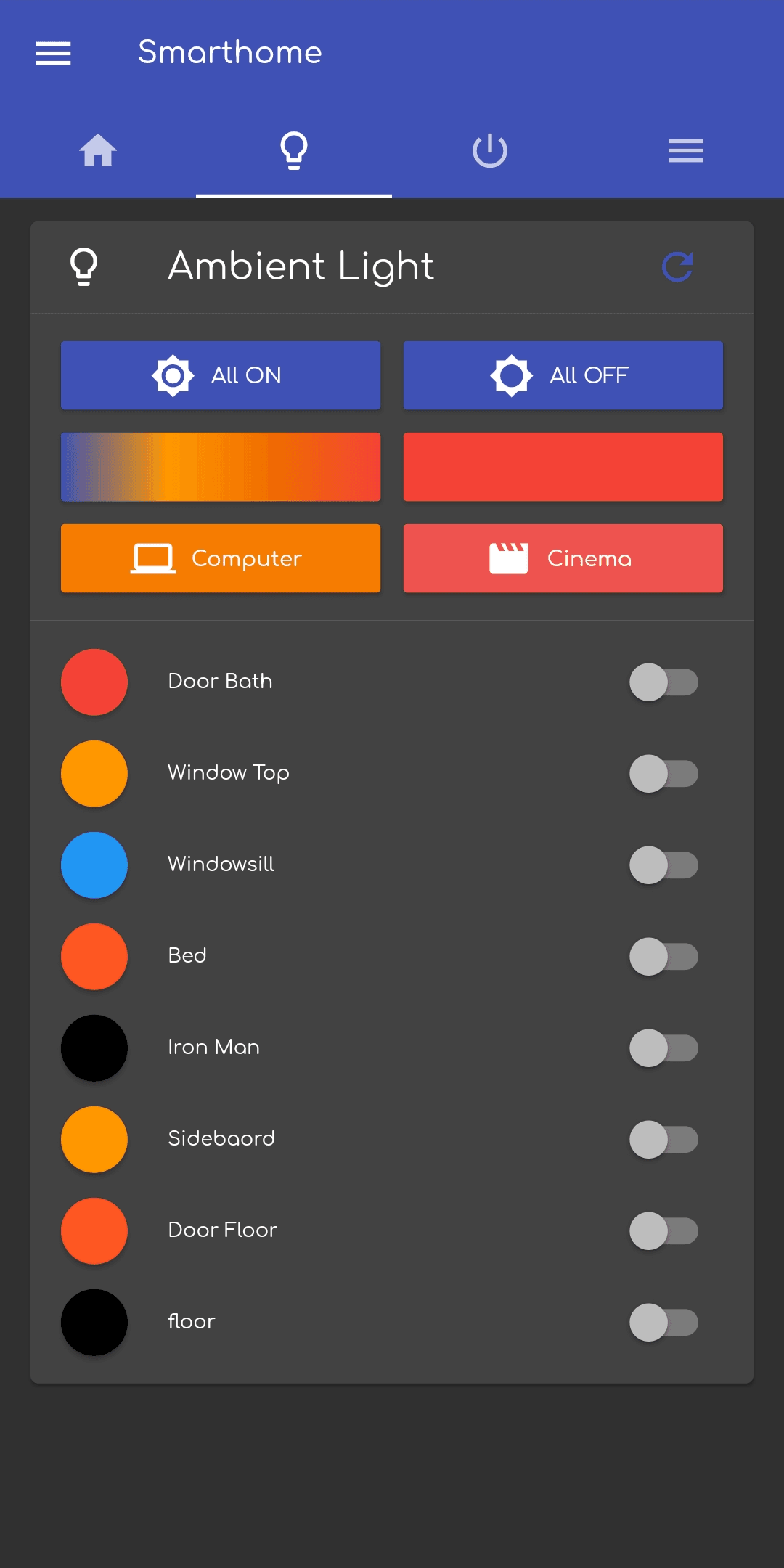
This app is the control interface of my custom built smart home.
- DateJanuary 2020
Project Modules
Modules
An overview of the main components or layers that make up this project. Each module represents a distinct part of the system, from technical layers to functional features.
Hardware
I used a Raspberry Pi to send serial signals to multiple PWM servo controllers. These controllers are linked to transistors which control the actual brightness of the LED strips.
Backend
Like in the last version of my smart home, I wrote two backends. The main backend is a Python script which uses Flask to receive requests and control the lights. The other backend is a express.js app to which the control app sends requests to. It combines the Python backend on my smart home Raspberry and another Python backend on my home server (also a Raspberry Pi). This allows me to get several information like CPU usage, RAM usage and disk usage of both Rarasperries in one request. I also added a cron job to implement an automatic fan control to cool down the Raspberries if needed.
Frontend
The frontend is an android app coded in Flutter. I published it to the Google Play Store to provide automatic updates to my parents which have limited control (toggle the shutters).
A Closer Look
Project Screenshots & Visuals
Explore key visuals from the project — from user interfaces to unique features. These screenshots showcase the design, flow, and overall experience delivered through the final product.
Tools Behind the Build
Technologies Used in This Project
From frontend frameworks to backend infrastructure, here's a breakdown of the technologies that brought this project to life. Each tool was carefully chosen to ensure performance, scalability, and a seamless user experience.